Movie Availability Finder

Find where a movie is streaming, renting, or available to buy

United States (US)

Availability results for “Oppenheimer”

Server-cached lookup
Oppenheimer poster

Oppenheimer (2023)

TMDb rating: 8.0/10

The story of J. Robert Oppenheimer's role in the development of the atomic bomb during World War II.

Rent
Amazon Video Rental price varies
Apple TV Store Rental price varies
Google Play Movies Rental price varies
YouTube Rental price varies
Fandango At Home Rental price varies
Spectrum On Demand Rental price varies
Buy
Amazon Video Purchase price varies
Apple TV Store Purchase price varies
Google Play Movies Purchase price varies
YouTube Purchase price varies
Fandango At Home Purchase price varies

Price note: exact rent/buy prices are not included by this data source. Subscription labels can be edited in the plugin settings.

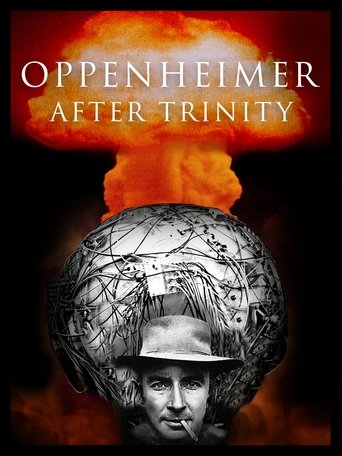
Oppenheimer After Trinity poster

Oppenheimer After Trinity (2023)

TMDb rating: 7.7/10

This captivating documentary on J. Robert Oppenheimer, the architect of the atomic bomb, explores his journey before the historic test and reveals the burden he carried after. De-classified documents, rare film footage and exclusive…

Subscription
Amazon Prime Video Subscription required
Amazon Prime Video with Ads Subscription required
Rent
Amazon Video Rental price varies
Apple TV Store Rental price varies
Google Play Movies Rental price varies
YouTube Rental price varies
Fandango At Home Rental price varies
Buy
Amazon Video Purchase price varies
Apple TV Store Purchase price varies
Google Play Movies Purchase price varies
YouTube Purchase price varies
Fandango At Home Purchase price varies
Free with ads
Fandango at Home Free Free with ads
Tubi TV Free with ads

Price note: exact rent/buy prices are not included by this data source. Subscription labels can be edited in the plugin settings.

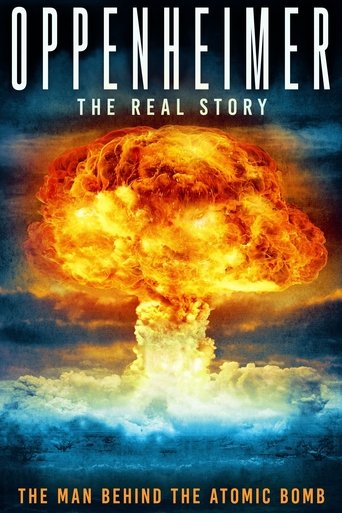
Oppenheimer: The Real Story poster

Oppenheimer: The Real Story (2023)

TMDb rating: 8.1/10

J. Robert Oppenheimer, a physics professor known for creating the atomic bomb during WWII. He witnessed the first atomic bomb detonation in New Mexico in 1945. This film examines Oppenheimer's life, from his early…

Subscription
Amazon Prime Video Subscription required
Amazon Prime Video with Ads Subscription required
Rent
Amazon Video Rental price varies
Apple TV Store Rental price varies
Google Play Movies Rental price varies
YouTube Rental price varies
Fandango At Home Rental price varies
Buy
Amazon Video Purchase price varies
Apple TV Store Purchase price varies
Google Play Movies Purchase price varies
YouTube Purchase price varies
Fandango At Home Purchase price varies
Free with ads
Fandango at Home Free Free with ads
Pluto TV Free with ads
Xumo Play Free with ads
Mometu Free with ads
Tubi TV Free with ads
Free
Hoopla Free to watch
Plex Free to watch
Plex Channel Free to watch
Fawesome Free to watch

Price note: exact rent/buy prices are not included by this data source. Subscription labels can be edited in the plugin settings.

This product uses the TMDb API but is not endorsed or certified by TMDb. Availability can change and should be verified on the provider site before subscribing, renting, or buying.

Change These Vlc Settings for Best Video Quality Possible

Settings
Settings

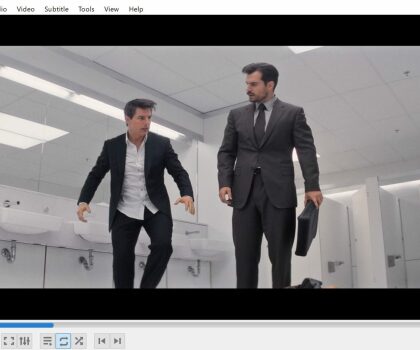
VLC media player is a popular and free multimedia player that supports a wide range of audio and video formats. It’s an excellent choice for playing videos on your computer, but did you know that it also offers a range of settings that can help you optimize the video quality?

In this article, we’ll explore some of the best VLC settings for getting the best video quality possible.

  1. Enable Hardware Acceleration The first thing you should do is enable hardware acceleration. This option uses your computer’s graphics card to help process video playback, resulting in smoother and better quality video. To enable hardware acceleration, go to Tools > Preferences > Input/Codecs and select “Hardware-accelerated decoding” under the “Codecs” section.
  2. Adjust Video Output Settings Next, you’ll want to adjust the video output settings to ensure the best possible quality. Go to Tools > Preferences > Video and select “OpenGL video output” under the “Output” section. You can also experiment with other output options, such as DirectX, but OpenGL tends to be the most reliable.

Under the “Output” section, you can also adjust the “Deinterlacing” option to “Blend” or “Bob” to reduce visual artifacts in interlaced video.

  1. Increase Video Quality VLC also offers several options to increase the quality of your video. To access these options, go to Tools > Preferences > Video and select the “Filters” tab. Here you can enable options like “Sharpen” and “Anti-Flickering” to improve the overall quality of your video.
  2. Use the Equalizer If you’re looking to improve the audio quality of your video, VLC’s built-in equalizer can be a powerful tool. To access the equalizer, go to Tools > Effects and Filters > Audio Effects and select the “Equalizer” tab. From here, you can adjust the levels of different frequency bands to fine-tune the audio quality of your video.
  3. Experiment with Video Effects Finally, VLC offers a range of video effects that can help you enhance the visual quality of your video. To access these effects, go to Tools > Effects and Filters > Video Effects. Here you’ll find a range of options like “Colorize” and “Image Adjust” that can help you adjust the brightness, contrast, and color balance of your video.

In conclusion, VLC media player is a versatile and powerful multimedia player that offers a range of settings to help you optimize the video quality. By enabling hardware acceleration, adjusting the video output settings, and experimenting with filters and effects, you can achieve the best possible video quality on your computer.