

Movie Availability Finder

Find where a movie is streaming, renting, or available to buy

United States (US)

Availability results for “Scream”

Server-cached lookup
Scream poster

Scream (1996)

TMDb rating: 7.4/10

A year after the murder of her mother, a teenage girl is terrorized by a masked killer who targets her and her friends by using scary movies as part of a deadly game.

Subscription
fuboTV Subscription required
Paramount Plus Premium Subscription required
Paramount Plus Essential Subscription required
Paramount+ Amazon Channel Subscription required
YouTube TV Subscription required
Rent
Amazon Video Rental price varies
Apple TV Store Rental price varies
Google Play Movies Rental price varies
YouTube Rental price varies
Fandango At Home Rental price varies
JustWatch TV Rental price varies
Spectrum On Demand Rental price varies
Plex Rental price varies
Buy
Amazon Video Purchase price varies
Apple TV Store Purchase price varies
Google Play Movies Purchase price varies
YouTube Purchase price varies
Fandango At Home Purchase price varies
Free
Kanopy Free to watch
Hoopla Free to watch

Price note: exact rent/buy prices are not included by this data source. Subscription labels can be edited in the plugin settings.

Scream 2 poster

Scream 2 (1997)

TMDb rating: 6.5/10

Two years after the Woodsboro murders, Sidney Prescott acclimates to college life while someone donning the Ghostface costume begins a new string of killings.

Subscription
fuboTV Subscription required
Paramount Plus Premium Subscription required
Paramount Plus Essential Subscription required
Paramount+ Amazon Channel Subscription required
YouTube TV Subscription required
Paramount+ Roku Premium Channel Subscription required
Rent
Amazon Video Rental price varies
Apple TV Store Rental price varies
Google Play Movies Rental price varies
YouTube Rental price varies
Fandango At Home Rental price varies
JustWatch TV Rental price varies
Spectrum On Demand Rental price varies
Plex Rental price varies
Buy
Amazon Video Purchase price varies
Apple TV Store Purchase price varies
Google Play Movies Purchase price varies
YouTube Purchase price varies
Fandango At Home Purchase price varies
Free
Kanopy Free to watch
Hoopla Free to watch

Price note: exact rent/buy prices are not included by this data source. Subscription labels can be edited in the plugin settings.

Scream poster

Scream (1997)

MS-DOS demoscene short film that showcases computer animation and music.

No streaming, rent, or buy providers found for this region. This can mean the film is unavailable, newly added, region-locked, or not tracked by the current data provider.

This product uses the TMDb API but is not endorsed or certified by TMDb. Availability can change and should be verified on the provider site before subscribing, renting, or buying.

How to Preserve Your Laptop Battery Life for Longer
laptop battery life

Are you tired of your laptop battery dying on you after a few hours of use? If so, it’s time to learn the best ways to keep your laptop battery charged and get the most out of its battery life.

According PCworld.com the average laptop battery will start to fail after 1 to 2 years, lets try to make yours live longer. Here are the top tips on how to preserve your laptop’s battery life for longer so that you can keep working without interruption.

1. Dim Your Screen Brightness

One of the best ways to conserve your laptop battery life is to reduce your screen brightness. Displays are typically one of the biggest power drains on a laptop, so reducing the brightness will go a long way in extending battery life. To do this, simply press Fn + F4 or F5 (depending on your laptop model) to dim or brighten the display.

2. Enable Battery Saver Mode

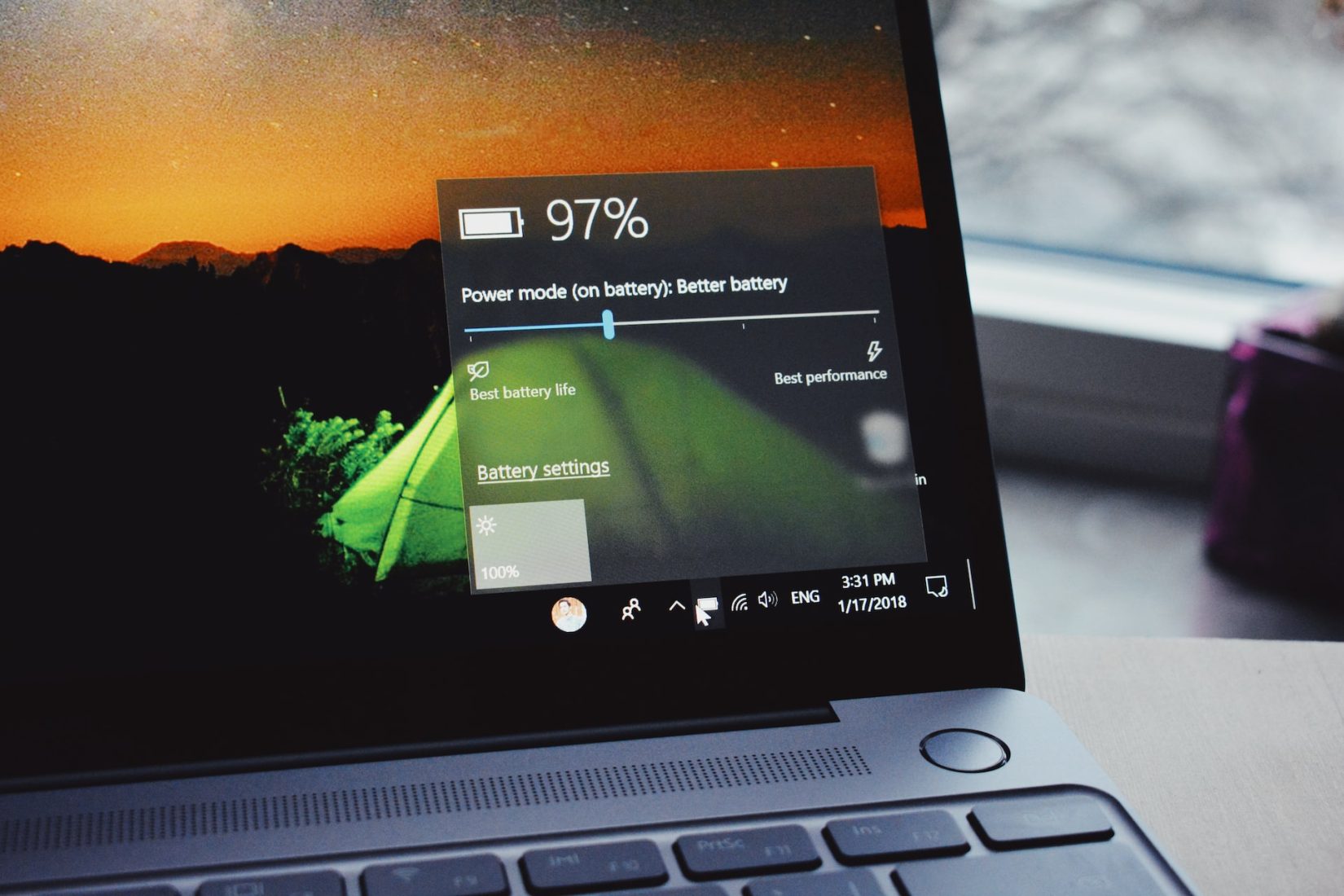
If you need an extra boost in preserving your laptop’s battery life, enable your computer’s built-in “battery saver” mode. This mode automatically dims your display and turns off background programs to help extend battery life as much as possible. You can find this option under Settings > System > Battery in Windows 10 or by clicking on the battery icon in your system tray.

3. Connect Your Laptop to a Power Source When Possible

Another simple way to save energy and prolong the battery life of your laptop is to connect it to a power source whenever possible. While it might not seem like a big deal when you’re only using it for a few minutes, small moments like this add up over time and can dramatically reduce how often you have to charge your device’s battery from scratch.

4. Unplug Peripherals When Not In Use

Finally, make sure that any peripherals—such as external hard drives or USB sticks—are unplugged when they’re not being used. Even though these devices consume very little power, they still draw energy from the laptop even when they’re not actively being used which can add up over time and deplete your laptop’s battery faster than normal.

Conclusion:

Keeping track of all these tips may seem like a hassle but once you start using them regularly, they quickly become second nature and will help ensure that your laptop’s battery lasts as long as possible between charges!

With just a few minor changes in how you use and care for your device, you should be able to see significantly longer periods between charges! So if you want more efficient performance from your device every day, try out some of these tips today!