

Movie Availability Finder

Find where a movie is streaming, renting, or available to buy

United States (US)

Availability results for “Oppenheimer”

Server-cached lookup
Oppenheimer poster

Oppenheimer (2023)

TMDb rating: 8.0/10

The story of J. Robert Oppenheimer's role in the development of the atomic bomb during World War II.

Rent
Amazon Video Rental price varies
Apple TV Store Rental price varies
Google Play Movies Rental price varies
YouTube Rental price varies
Fandango At Home Rental price varies
Spectrum On Demand Rental price varies
Buy
Amazon Video Purchase price varies
Apple TV Store Purchase price varies
Google Play Movies Purchase price varies
YouTube Purchase price varies
Fandango At Home Purchase price varies

Price note: exact rent/buy prices are not included by this data source. Subscription labels can be edited in the plugin settings.

Oppenheimer After Trinity poster

Oppenheimer After Trinity (2023)

TMDb rating: 7.7/10

This captivating documentary on J. Robert Oppenheimer, the architect of the atomic bomb, explores his journey before the historic test and reveals the burden he carried after. De-classified documents, rare film footage and exclusive…

Subscription
Amazon Prime Video Subscription required
Amazon Prime Video with Ads Subscription required
Rent
Amazon Video Rental price varies
Apple TV Store Rental price varies
Google Play Movies Rental price varies
YouTube Rental price varies
Fandango At Home Rental price varies
Buy
Amazon Video Purchase price varies
Apple TV Store Purchase price varies
Google Play Movies Purchase price varies
YouTube Purchase price varies
Fandango At Home Purchase price varies
Free with ads
Fandango at Home Free Free with ads
Tubi TV Free with ads

Price note: exact rent/buy prices are not included by this data source. Subscription labels can be edited in the plugin settings.

Oppenheimer: The Real Story poster

Oppenheimer: The Real Story (2023)

TMDb rating: 8.1/10

J. Robert Oppenheimer, a physics professor known for creating the atomic bomb during WWII. He witnessed the first atomic bomb detonation in New Mexico in 1945. This film examines Oppenheimer's life, from his early…

Subscription
Amazon Prime Video Subscription required
Amazon Prime Video with Ads Subscription required
Rent
Amazon Video Rental price varies
Apple TV Store Rental price varies
Google Play Movies Rental price varies
YouTube Rental price varies
Fandango At Home Rental price varies
Buy
Amazon Video Purchase price varies
Apple TV Store Purchase price varies
Google Play Movies Purchase price varies
YouTube Purchase price varies
Fandango At Home Purchase price varies
Free with ads
Fandango at Home Free Free with ads
Pluto TV Free with ads
Xumo Play Free with ads
Mometu Free with ads
Tubi TV Free with ads
Free
Hoopla Free to watch
Plex Free to watch
Plex Channel Free to watch
Fawesome Free to watch

Price note: exact rent/buy prices are not included by this data source. Subscription labels can be edited in the plugin settings.

This product uses the TMDb API but is not endorsed or certified by TMDb. Availability can change and should be verified on the provider site before subscribing, renting, or buying.

How to Stream 4k Video on VLC Media Player

4k tablet

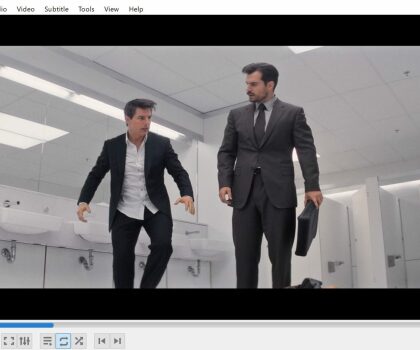
Streaming 4K (Ultra High Definition) videos on VLC player is now possible, allowing you to enjoy the highest resolution video quality available. There has been a recent surge in the amount 4k video files online and from cellphone cameras.

Many people have asked whether it is possible to play 4k content using the popular open-source media player, VLC. Thankfully, the answer is yes – VLC can play 4k videos or higher, as long as you have the necessary hardware set up on your computer.

This includes a modern GPU that can handle high-resolution playback along with ample system RAM and CPU capacity. Without these components, trying to watch a 4k video on VLC can be less than ideal. Ultimately, it’s up to individual users to determine if their systems are capable of playing 4k video smoothly in VLC player.

  1. Download and install the latest version of VLC player on your computer.
  2. Connect your 4K device to your computer using a HDMI cable.
  3. Open VLC player and click on the “Media” tab at the top of the screen.
  4. Select “Open Network Stream” from the drop down menu.
  5. Enter the IP address of your 4K device in the “Please enter a network URL” field.
  6. Click on the “Play” button to start streaming the 4K video.
  7. To adjust the video settings, click on the “Tools” tab and select “Preferences”.
  8. Go to the “Video” tab and select “Output”.
  9. Change the “Output” to “DirectX